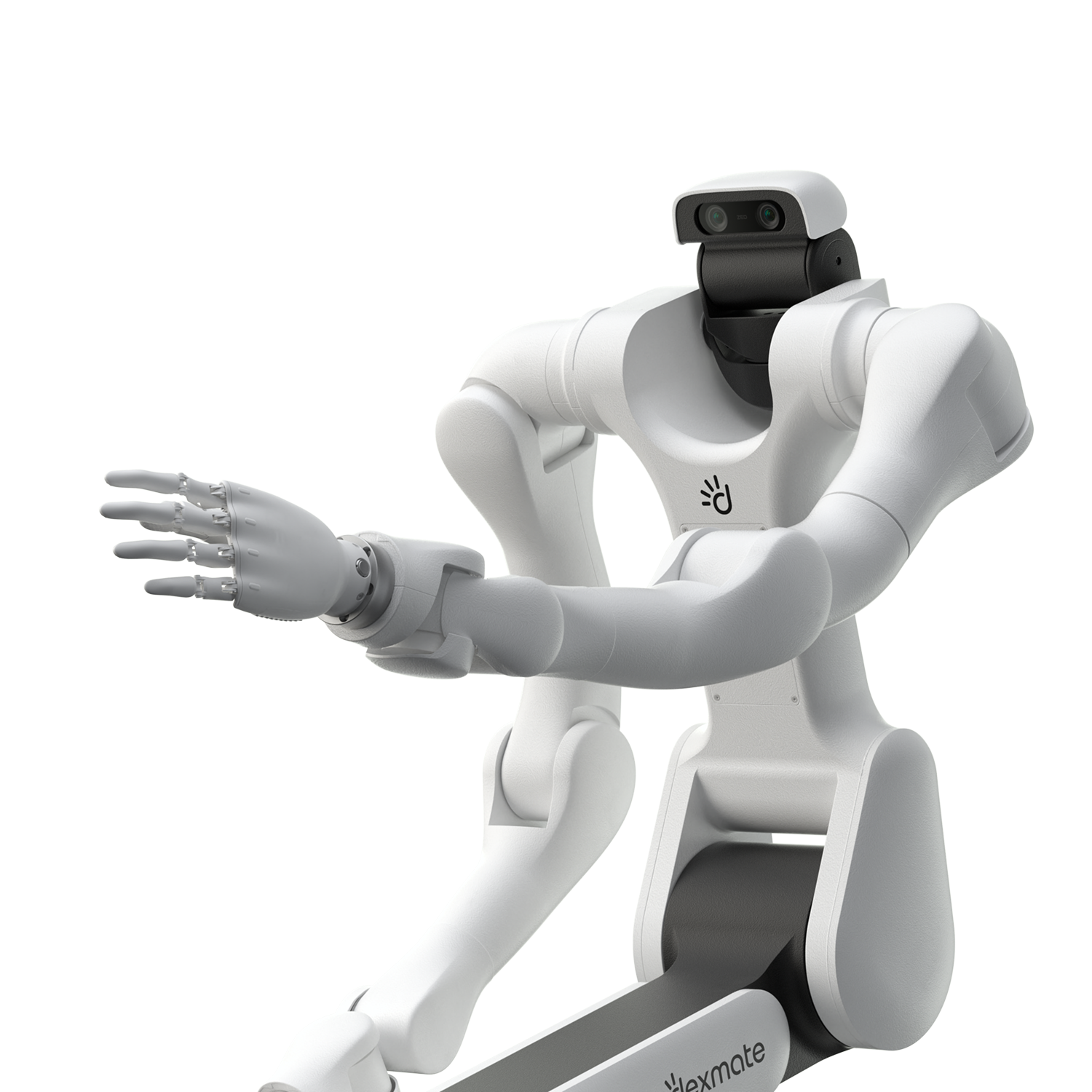
An Anatomy of Coding Agents Tackling Robotics Tasks
We gave Codex and Claude Code control of a Vega 1 Pro and recorded what happened between the task description and the result: what the agents build, where their time goes, and where they still fall short.
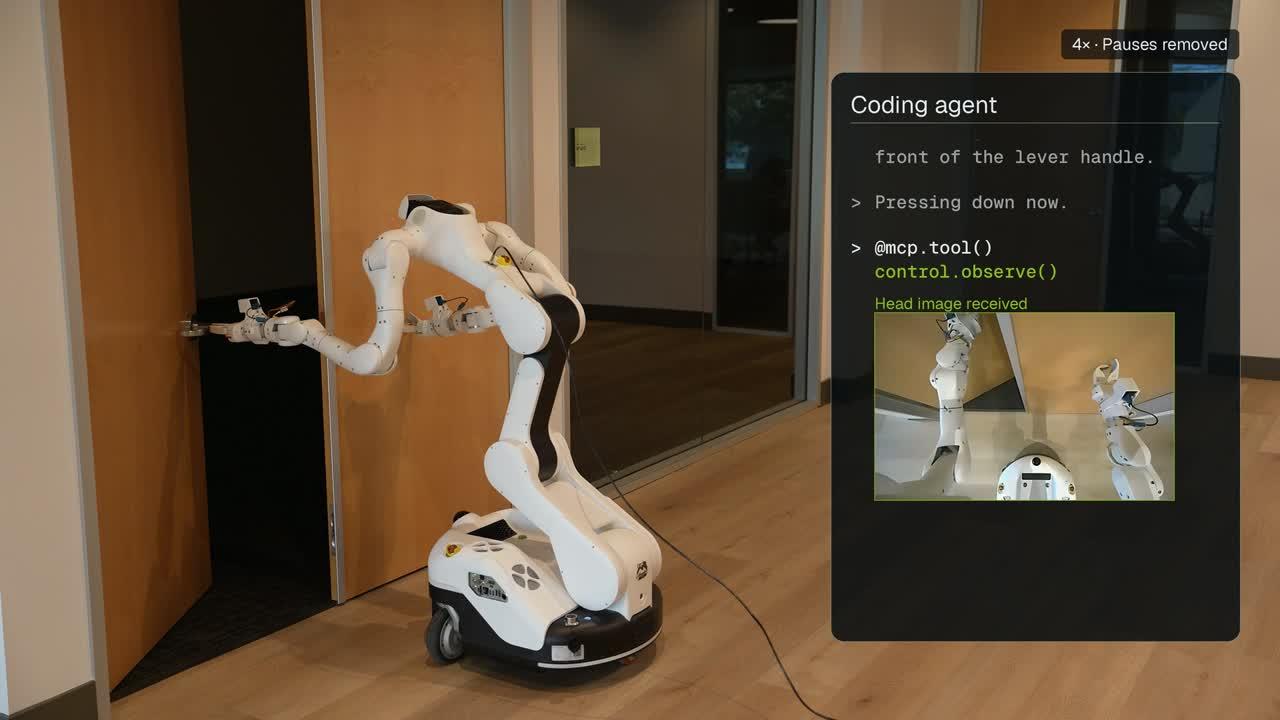
Using vision-language models (VLMs) to control robots is not a new idea. What surprised us was how easy it had become to try. Give a coding agent access to robot tools, and it can work on commands like "put the fruit in the basket" or "open the door". We wanted to try this with Codex and see what actually happened along the way.
Developers have shown many such demos. Agents have inserted a plug after one video demonstration1, learned to type on a keyboard2, painted with a brush3, controlled a robot they had never seen4, copied a mobile-manipulation task from a single video5, and solved tabletop and Rubik’s-cube tasks in simulation6,7. Others have benchmarked models and agents on real robots8,9,10. Closest to our study, Agent as Policy11 runs Codex and Claude Code as the robot policy and shows that saved experience makes later trials faster. AA-Robotics12 reports about 30 minutes per task for most models, against about 20 seconds for a person.
Still, we wanted to look closely at how a coding agent solves a robot task. What steps does it take? What tools does it build? What does it do well, and where does it struggle? So we gave Codex and Claude Code access to our Dexmate Vega 1 Pro, using GPT-6 Astra and Opus 5.5, and recorded the attempts. We went through the logs and recordings to see what happened between the task description and the final result.
TL;DRKey Takeaways
- Coding agents can develop workable robot procedures. In our trials, agents interpreted images, wrote helpers, adapted after failed attempts, and saved what worked. Simulation also helped refine a grasp strategy, although its assumptions still needed checking against the real robot.
- A successful task can still be slow or unsafe. Agents spent substantial time checking, writing code, and adjusting individual actions—even with a saved plan. Additional tools did not consistently improve performance, and recognizing hazardous contact did not always lead to timely corrective action.
- Making these agents work requires an integrated robotics system. Our results suggest combining the model’s ability to learn, plan, and handle unfamiliar situations with skills and controllers that manage routine execution, verification, recovery, and immediate safety responses. Progress depends on both the model’s capabilities and how these parts work together.
Experiment Setup
We picked three tasks:
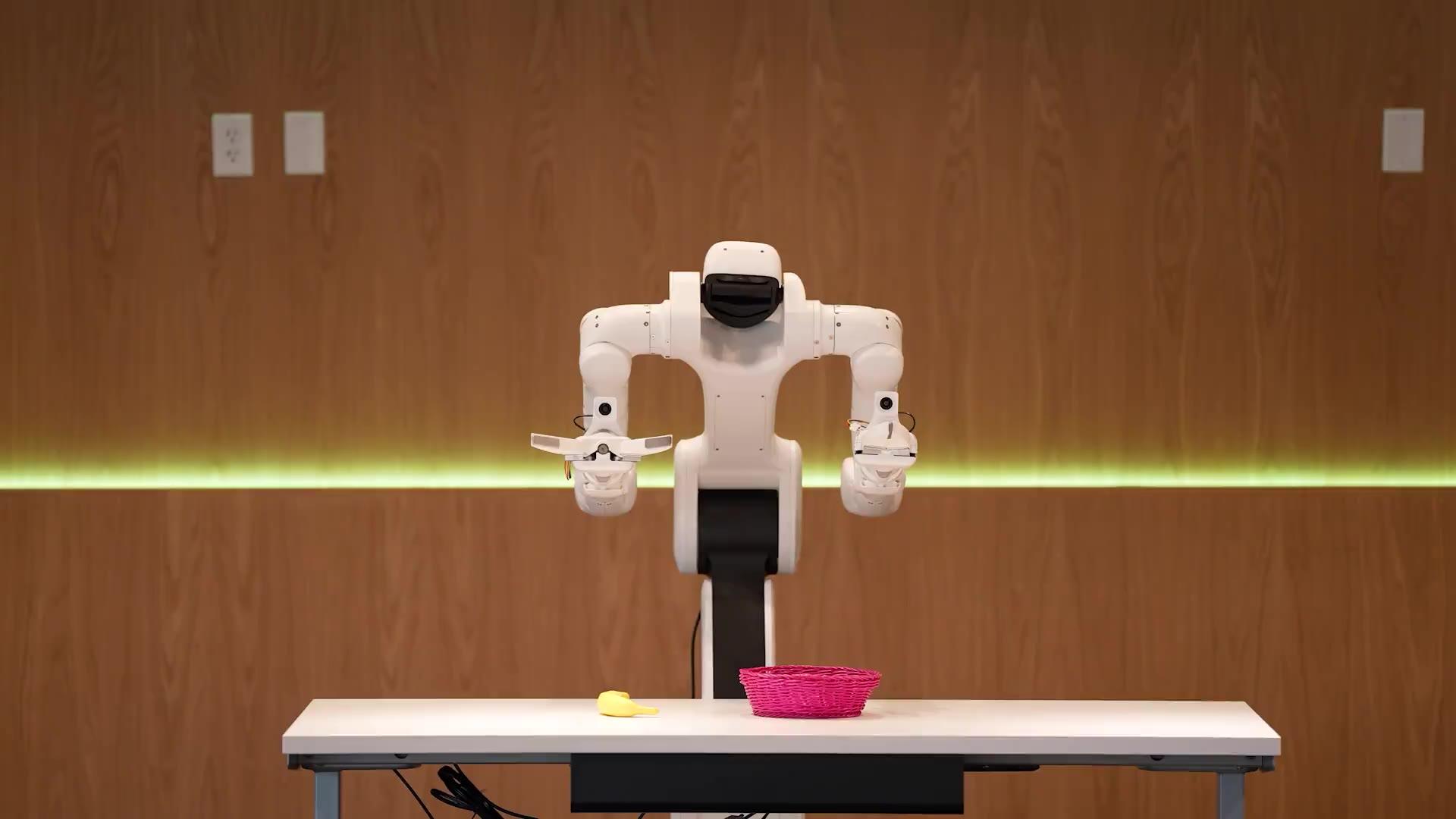
A simple tabletop task.
A coding agent solves a robot task in two stages. We test each one on its own:
- Agent learning: the agent meets the task for the first time. It checks what tools and environment it has, builds the tools it is missing, and works out how to solve the task. At the end, we ask it to "summarize your method and create tools". It writes these into a skill folder: notes for its future self, plus the code that worked.
- Agent execution: we reset the scene and start a fresh session. The new agent has no memory of the first one. It gets the same task plus one line: "A skill from an earlier attempt at this task is in your skills." We run it once in the same scene, then once after moving things around, to see whether the skill still works when the world changes a little.
- InputUser task
“Enter the door in front of you and get in to the room.”
- Stage 1Agent learning
- checks tools and environment
- builds missing tools: pixel → 3D point
- solves the task
- SavedSkill
What worked: notes and code.
README.mdpix2base.pyplan_door_enter.py
- Stage 2Agent execution
- new session loads the skill
- little left to build
- does the task again
Skill files from a real door-enter learning run.
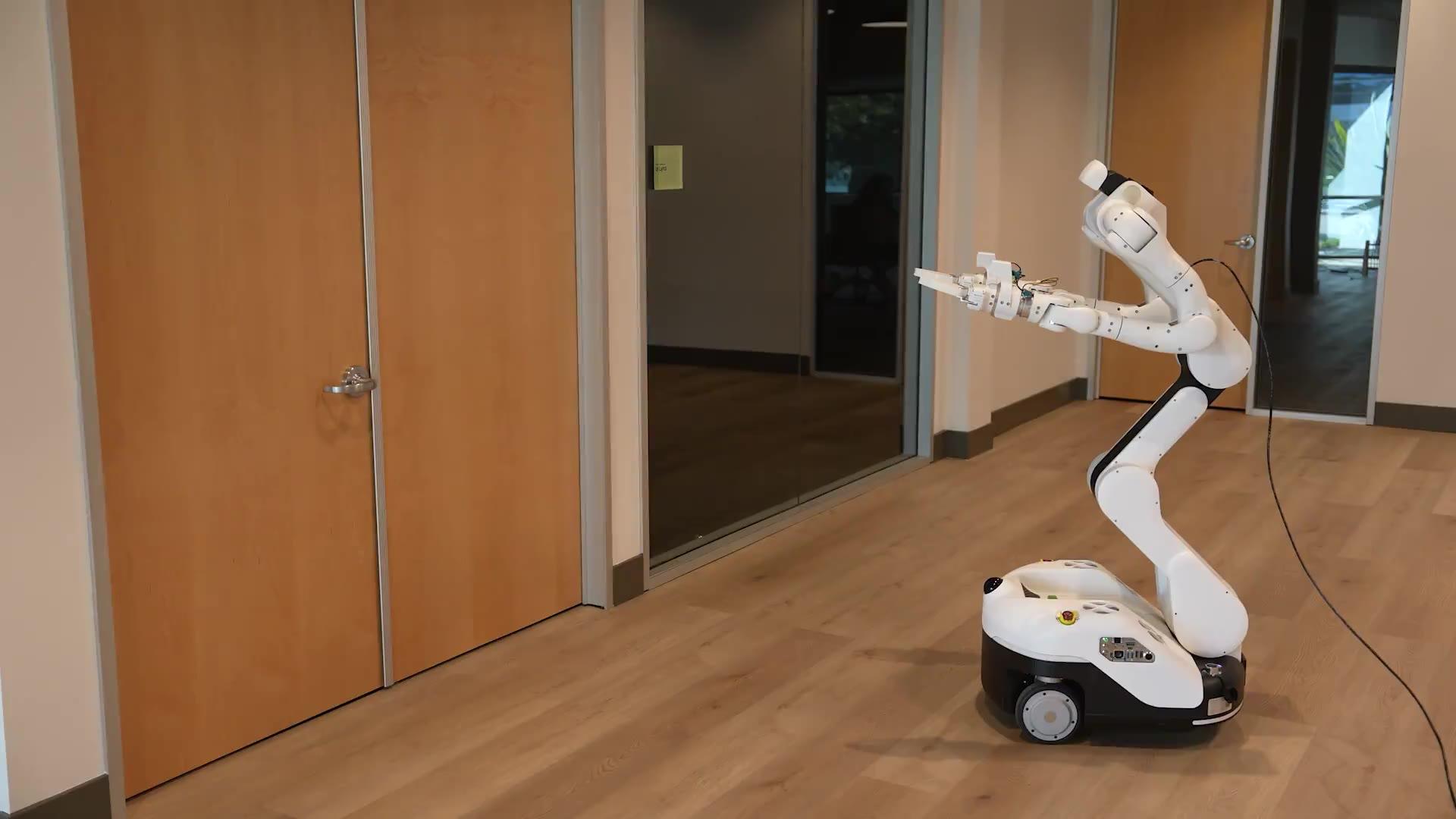
Our robot is a Vega, a wheeled bimanual mobile manipulator: a wheeled base, a torso, two arms with grippers, a camera in its head and one on each wrist. For the agent, we use Claude Code with Opus 5.5 at medium effort, a balance of speed and thinking, and Codex with GPT-6 Astra at Ultra effort, which thinks the most.
We give the agent a small set of MCP tools: move a hand to a pose, turn the head, open or close a gripper, step the base, and take a look (camera images with depth, plus where each joint is). The agent can write and run code to help itself think, but it can only move the robot through these tools.
“Move above the banana.”
An observation request returns camera images with depth and robot state. The agent receives a snapshot when it asks for one.
- Coding agentChoose targets and calculate poses

- MCP toolsPass a request to the service
observeRequest RGB-D + state - Control serviceCheck and execute the request
- Solve IKHand pose → joints
- Check motionJoint limits · self-collision
- ExecuteJoint trajectory
- RobotMove and provide sensor feedback

↩ Requested snapshots and robot state return to the agent
Every motion goes through our control service, which solves inverse kinematics (IK), executes motions, and checks joint limits and self-collision. There is no object detector, so to find the banana the agent has to look at the image and work out where it is. There is no scene-aware obstacle planner: the service generates straight-line hand motions, and if the table is in the way, that's the agent's problem.
Our added robotics instruction is one sentence: "You control a real Dexmate VEGA robot through the MCP tools." The launcher appends it to Claude Code’s existing system instructions and prefixes it to Codex’s initial prompt. Both agents also receive tool definitions and operate within their coding-agent harnesses. We wanted to see what the agent could work out with this interface.
Results and Findings
Mean time and cost per run
- Opus 5.5 Medium
- GPT-6 Astra Ultra
- Min–max
With the original tool interface, both models succeeded in all fruit and door trials. The bowl-rack task, which requires more precise manipulation, had no successful trials in this condition and is discussed separately. Runs also varied substantially within a model and task. One Opus door learning run took 4.58 minutes and another 9.13 minutes. Executions reusing the first skill took 2.92 and 4.44 minutes, while those reusing the second took 6.45 and 6.65 minutes.
Learning a task took 4–13 minutes and cost $1.9–9.4. But the cost of learning matters less than the cost of execution. Learning is paid once. Execution is paid every time the robot does the task, and it is still expensive. With Opus, it takes about 2.5 minutes and $1.2 to put one fruit in a basket, and about 5 minutes and $2 to walk through one door. At this speed and cost, clearing a table of 20 objects would take nearly an hour and cost about $25. If the robot had to pass 5 doors to come find you, that’s about 25 minutes and $10. With Astra, the table would take over 3 hours and nearly $90, and the 5 doors nearly an hour and almost $40. These results made us look at what the agent actually does during learning and execution.
Where Does the Agent Spend Its Time and Effort?
TL;DRTakeaways
Much of the task time passes between robot actions.
- Agents repeat an observe → think → act → observe loop. Recorded robot actions account for only 20–36% of task time on average across the four task/model groups.
- Between actions, agents check observations, calculate geometry, write code, and choose the next move. Fixed sleeps can add waiting after motion finishes.
Across our trials, the agent repeatedly observes the scene, works out its next move, requests an action, and observes again. We use “think” here for the work of evaluating observations and preparing the next command.
- Observe
- Think
- Act
Across successful fruit and door trials with the original interface, recorded robot actions account for only 20–36% of task time on average across the four task/model groups. The remaining time includes analysis, code writing and execution, waiting, and response latency.
The walkthrough below follows this loop as an agent learns the fruit task and later reuses its saved skill.
The agent selects image pixels for the banana and basket, then calculates their positions from depth.
control.info → control.observe → inline Python projectionFull Recording and Detailed Steps (2:52)
The agent requests camera images and robot state, selects pixels for the banana and basket, and writes a depth-projection calculation.
control.info → control.observe → inline Python projectionWhat Happens Between Actions?
Between actions, the agent verifies observations, calculates geometry, interprets results, and decides what to do next. This work often involves writing and running code. Even a ready plan leaves work to do: in one fruit execution run, a saved planner produces the waypoints by 19 seconds, yet completion takes 161 seconds.
Another fruit execution makes this work visible. Moving above the basket takes 4.2 seconds, followed by 126 seconds before a centering correction is requested. The agent takes one fresh RGB-D observation, writes and runs four Python checks on the saved data, and prepares an enlarged crop before choosing a 2.6 in (6.5 cm) sideways correction. The replay below reconstructs this interval.
126 s of checks → 2.6 in (6.5 cm) correction.
One RGB-D observation is saved. The following numerical checks reuse this same snapshot.
control.observe → save RGB-D dataFull Recording and Detailed Steps (2:16)
At +0.4 s, the agent requests one fresh RGB-D observation and saves the images, depth, camera pose, and robot state.
control.observe → save RGB-D dataThe agent repeatedly chooses a check → writes and runs code → interprets the result → refines the next pose. All four numerical checks and the crop use the same saved observation. The agent is still working out the next move while the robot holds position, even though it already has a saved procedure.
In measured observation-to-next-tool cycles with visible model output, the next tool request arrives after an average of 5.6 seconds for Opus and 12.1 seconds for Astra. These intervals include input handling, reasoning, response generation, and latency.
Motion Completion Does Not End a Fixed Sleep
Some of the time between actions is simply waiting. After issuing a motion, the agent receives a message that execution has started and can call sleep while the robot continues moving. The agent chooses the sleep duration; the timer does not end automatically when motion completes. In this door example, the action finishes at 4.2 seconds, the sleep returns at 6.6 seconds, and the next command arrives at 8.6 seconds: 2.4 seconds of sleep after completion, followed by a further 2.0-second response gap.
4.4 seconds between motion completion and the next command.
The agent requests a left-hand approach pose for the door task. The control service returns while the movement is still underway.
control.set_hand_pose → execution started- Motion ends
- 4.2 s
- Sleep returns
- 6.6 s
- Next command
- 8.6 s
Across eight Opus trials using fixed sleeps, waiting outside recorded actions consumes at least 42.5 seconds per trial on average, about 14% of task time. The mismatch comes from estimating a duration and starting the timer after motion is already underway. Some Astra runs instead use an automated status-polling loop, which can react to completion.
Reusing saved skills reduces task time: Opus’s task time falls by about 33% on average, while Astra saves about 10%. Astra’s reuse traces still contain substantial geometry checks and local revisions, which may explain its smaller saving. We next look at what the agents save and how they reuse it.
What Tools and Skills Do Agents Build?
TL;DRTakeaways
Reusable tools reduce some work, but key decisions and supervision remain with the model.
- Agents save geometry helpers, task procedures, and lessons, while the model still chooses targets, contact strategies, and corrections.
- Providing more tools replaces some calculations but does not reliably improve time, cost, or success: interpreting outputs and adapting the plan still takes work.
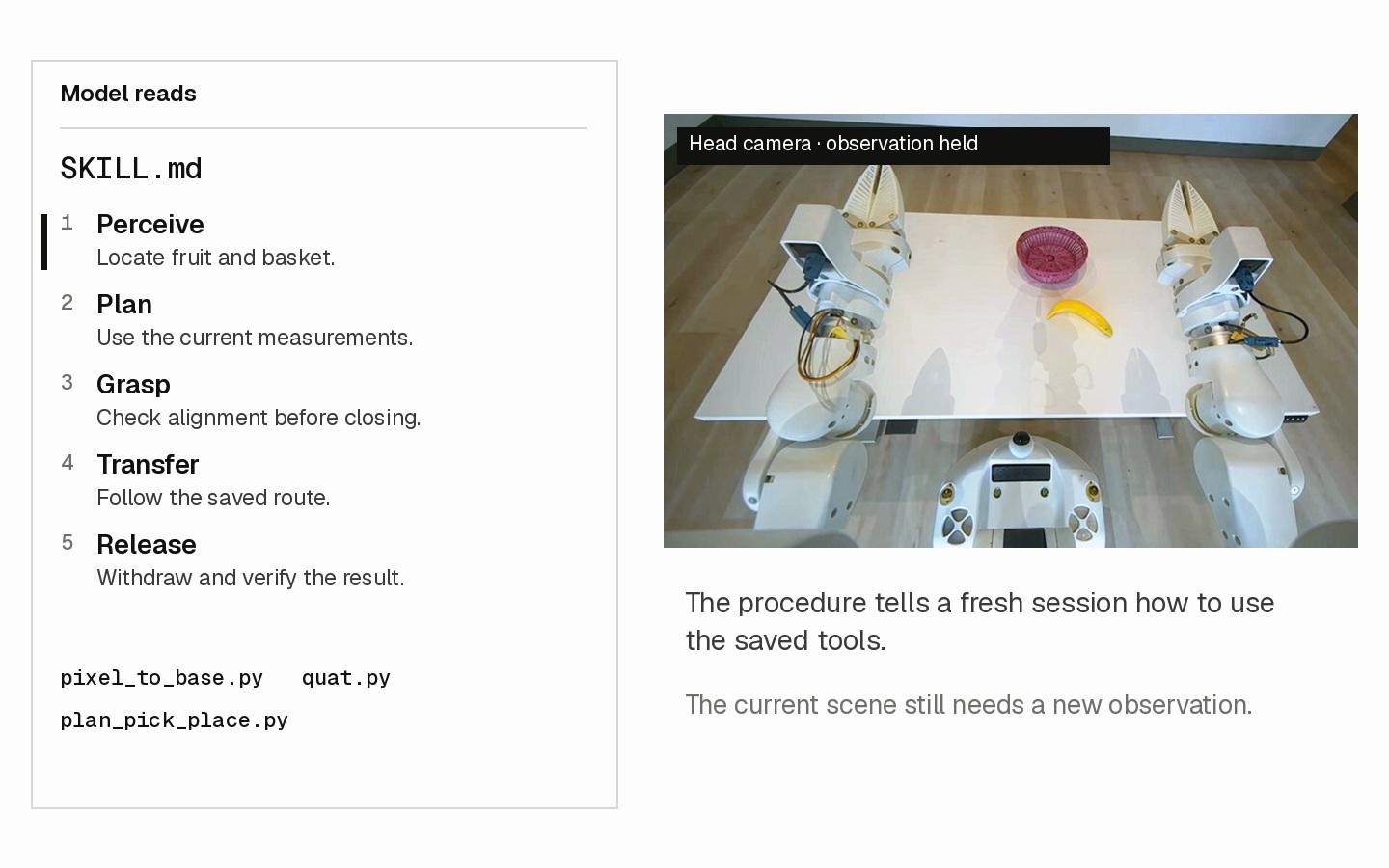
During a task, the agent writes helpers to get the job done. After the attempt, it saves those tools with a SKILL.md file describing the procedure and lessons for a fresh session.
We observe two types of helpers in this example. Geometry helpers, such as pixel_to_base.py and quat.py, turn the model’s choices into parameters for motion requests. The model selects pixels on the fruit and basket; the projection helper uses depth, camera intrinsics, and camera pose to return 3D points in the robot’s base frame. These measurements help the model choose an approach target and estimate the fruit’s direction. The model also chooses how the fingers should contact the fruit, while the rotation helper converts that alignment between matrices and quaternions. The control service uses the resulting pose request to generate and execute a trajectory.
The second type preserves decisions from the previous attempt. plan_pick_place.py saves the top-down approach, grasp and release heights relative to the table, and the 45° tilted waypoint introduced after a direct rotation was refused. Given the current fruit and basket positions, fruit angle, and table height, it fills in that saved sequence and prints hand-pose and gripper commands. The model can reuse these earlier choices, then adapt them using new observations and motion feedback.
The SKILL.md file ties these tools together: it describes the steps to follow, when to call each helper, what to check before continuing, and lessons learned from failed motions. The animation illustrates this workflow using the saved code example and the updated robot footage.
Inspect Saved Files
Saved procedure · SKILL.md
- Perceive: Select fruit and basket pixels; project them into robot coordinates.
- Plan: Print a command sequence; issue each call and check motion status.
- Grasp: Approach from above; check the wrist image before closing.
- Transfer: Back out through a tilted pose; approach the basket yawed 45°.
- Release and verify: Open over the basket; retreat and check the head-camera image.
- AttemptA large rotation is refused
The direct orientation change exceeds the allowed motion duration.
- Written lessonSplit the move
Use a 45° tilted waypoint between home and the top-down grasp.
- Saved plannerKeep the intermediate pose
q(TILT45), "tilted waypoint"
- Fresh session
- Read skill
- Measure current scene
- Adapt and execute
The model still sends the commands and decides what to do with the feedback. In the updated fruit-reuse recording, the first lift fails. The agent checks motion status, retries the lift, and runs its projection helper again with a newer observation to locate the basket before transferring the banana. It then releases the fruit, withdraws, and checks a final image. Camera observations and motion status supply the evidence for the model’s next choice.
Do More Robotics Tools Help?
After seeing the agents write their own helpers, we wanted to know whether providing more robotics tools would save them work. Both interfaces already offered RGB-D observations, robot state, and Cartesian hand motion with service-side inverse kinematics (IK). We added four capabilities:
In this small sample, more tools did not consistently help. Among successful runs, mean task time and model cost both increased in six of eight comparisons across tasks, models, and stages.
Changes relative to the original interface
Left of 0%: less · Right of 0%: more
Success rate · Original → expanded · learning and execution pooled
- Fruit / Opus
- 100% → 100%
- Fruit / Astra
- 100% → 100%
- Door / Opus
- 100% → 100%
- Door / Astra
- 100% → 66.7%
Learning is the initial attempt; execution pools reuse in the same and changed scenes. Success rates include all attempts. Task time excludes later skill packaging; model-session cost excludes separate skill writing, judging, and tool-service costs, but may include in-session writing.
The agents did use the additions: all fruit and door attempts called waypoint checks and whole-body motion, and more than 90% used segmentation. Two examples show what the model still had to do.
Perception Still Needs Judgment
The tool replaces pixel selection and projection here. The model still chooses detections and grasp alignment.
Planning Still Needs Iteration
- until the first motion
- 2.7 min
- reachability queries
- 5
- waypoint checks
- 9
About 23 seconds in logged planning-tool execution. The interval also includes code, interpretation, and response gaps; these are not separately timed.
Task-specific geometry and pose code remained, and some door runs still used visual pixel selection. These examples show how agents interpreted and questioned tool outputs; they do not establish why overall time increased.
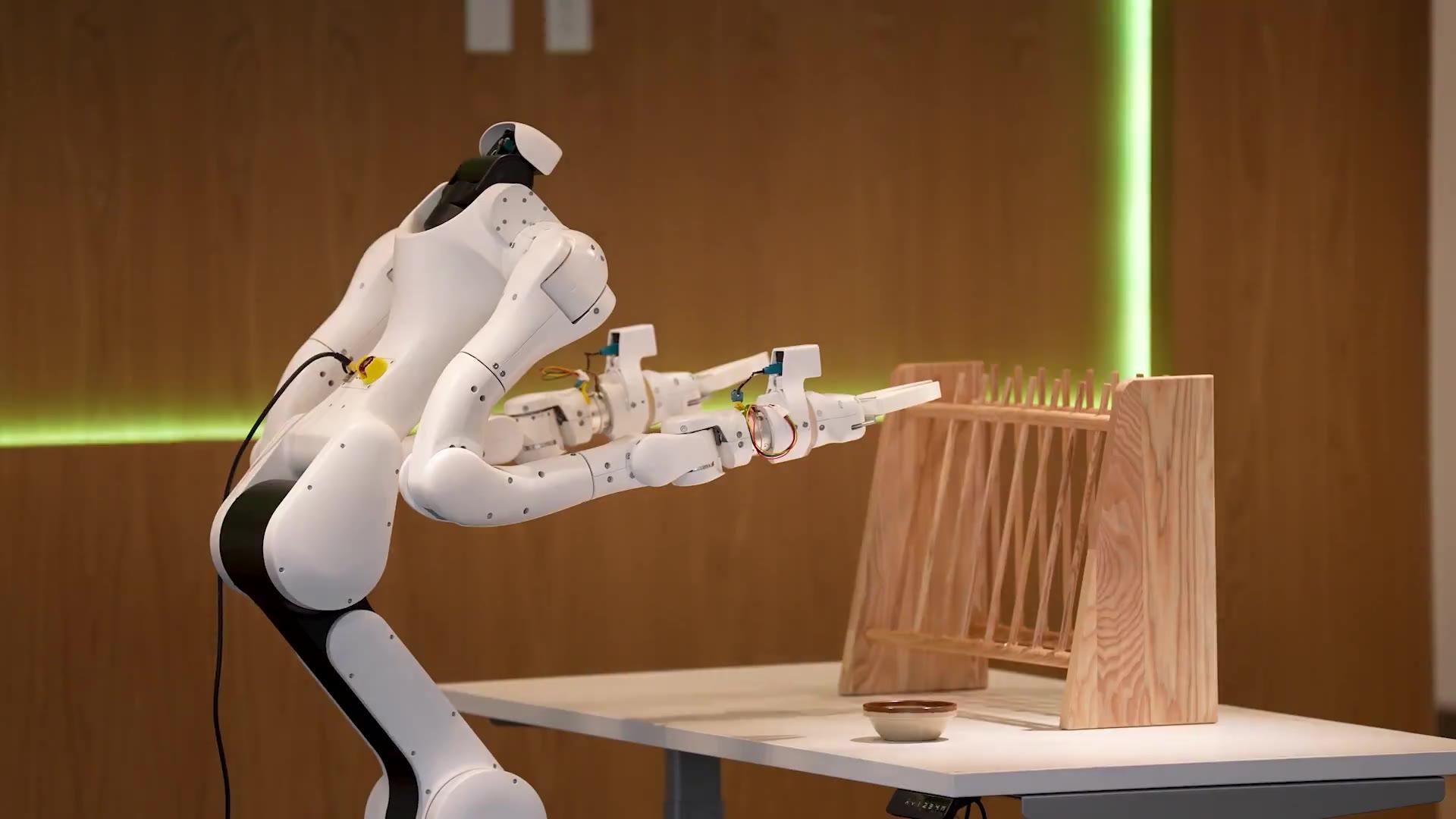
With the expanded toolbox, the agents still failed to complete the bowl task. One attempt reached the rack but repeatedly missed the regrasp needed to return the bowl to the table. Could simulation help refine the contact strategy?
Can Building a Simulation Help?
TL;DRTakeaways
Rehearsal can improve the solution, while simulation assumptions limit what a successful test proves.
- In the successful recording, failed rehearsals led the agent from a diameter grasp to a rim pinch before physical execution.
- The agent also chooses geometry, friction, and grasp assumptions. A simulated pass needs validation against real contact, support, and release.
Simulation gives the agent a way to test an interaction before trying it on the robot. Since the earlier bowl-rack trials had not completed the task, even with the expanded toolbox, we added an instruction to build a simulation and rehearse the solution first:
“You must build a physics simulation of the real scene and run your whole solution in it first, then do it on the real robot. Blender and NVIDIA Isaac Sim are installed.”
With simulation, agents achieved a 25% overall success rate. In a separate successful run, observation, simulation building, and rehearsal took 46.6 minutes, followed by 2.4 minutes of physical execution. Below, its simulation is paired with a new physical replay, with head and wrist views aligned by task stage.
The Agent Chooses the Conditions of Its Own Test
The agents used Blender or NVIDIA Isaac Sim with available robot assets, but constructed the task scene and rehearsal code themselves. Their common loop was observe the scene → construct a model → simulate candidate motions → inspect the outcome → revise. In the successful recording, the agent used Isaac Sim for physics simulation. It fitted the table plane from depth and estimated the bowl and rack geometry from images and point clouds. We found that the agents built simulations to match the task’s dynamics, especially grasping, support, and release, rather than produce photorealistic scenes.
In Case You Don’t Know What NVIDIA Isaac Sim Is
Isaac Sim is an open-source reference framework for robotics simulation, built on NVIDIA Omniverse. It simulates how robot joints and objects move and interact, and can render virtual camera views. Here, the agent uses it as a rehearsal space: build a scene, try a grasp or trajectory, and inspect the outcome before commanding the real robot. The agent still defines the scene, physical properties, and success checks.
The resulting model combines observations with assumptions:
The agent saves the scene, physical parameters, joint waypoints, and replay code as reusable files. In the illustrated demonstration, the rack is fixed, so the simulation cannot reveal whether a collision would move it. The failed trials below show how agents respond when physical evidence disagrees with the tests they built.
Failed Rehearsals Lead to a Different Grasp
The agent did not find the successful grasp in one pass. It first tried squeezing across the bowl’s diameter. When test lifts failed, it adjusted the approach; when those changes still failed, it changed the contact strategy to a rim pinch. The video below shows three selected rehearsals, with holds on each outcome; a separate comparison shows the initial grasp and the rim pinch together.
Close across the bowl’s diameter, then test a lift.
Compare the Initial Grasp and the Rim Pinch
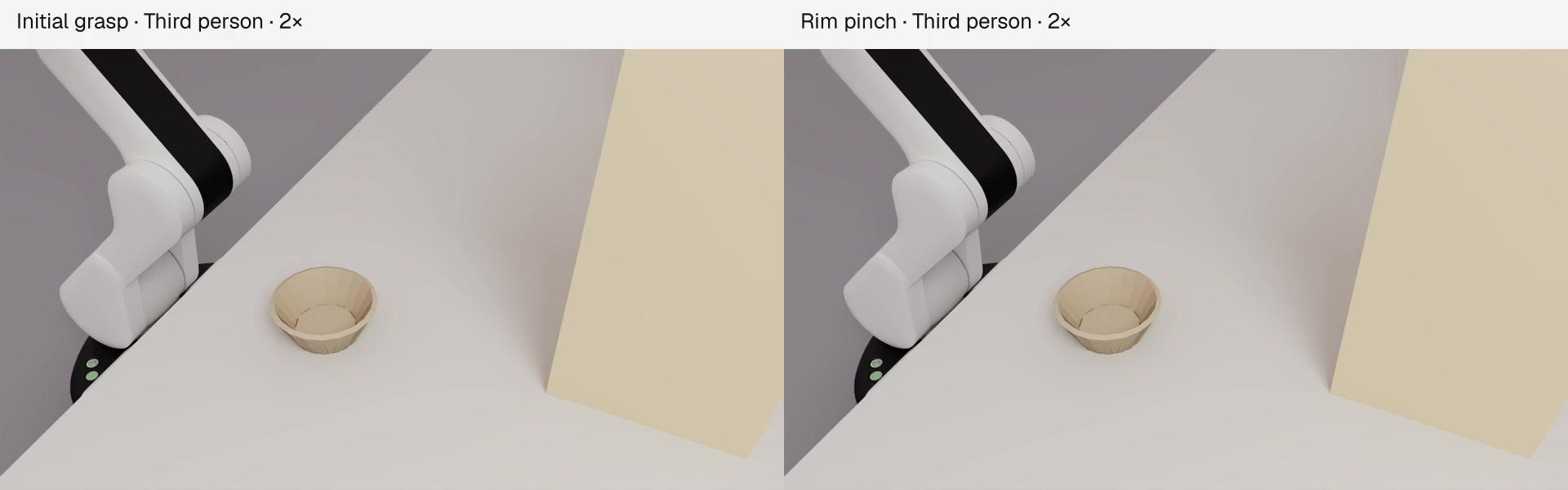
The final rehearsal also placed the bowl on the rack, released it, regrasped it, and returned it upright to the table. After checking this full sequence, the agent reused the joint waypoints on the real robot and checked camera feedback along the way.
A Simulated Pass Does Not Guarantee Physical Success
Grasp retention can be assumed too generously. In a separate failed trial, the simulation attached the bowl to the hand with a force-limited joint after detecting contact at both fingers. This allowed a complete simulated cycle, but did not establish that friction alone would hold the real bowl. A separate contact-only test showed slippage, and the real test lifts failed.
In another trial, the real hand touched the bowl earlier than the simulation predicted. The agent suspected the wrist geometry, revised the model and approach, and rehearsed again. The final simulated cycle passed near the deadline, but the revised plan was never executed on the robot.
A failed rehearsal still needs to change the next action. In another case, a recovery simulation lost the bowl. The agent dismissed this as an interpolation artifact and continued with real execution; the task remained unfinished and the rack moved.
Simulation can help an agent refine a workable strategy, but its value depends on whether contact, support, and release transfer to the real robot. These exploratory trials also allowed 80 minutes rather than 40, so the success-rate difference cannot be attributed to simulation alone.
Recognizing Contact Does Not Reliably Lead to Safe Action
TL;DRTakeaways
Recognizing danger does not reliably lead to timely corrective action.
- The selected clips show contact that was not acknowledged, contact mistaken for progress, and recognized risks followed by continued action.
- Task completion and normal motion feedback do not establish safe execution. Contact, response delay, and intervention need separate evaluation.
We examined selected contact incidents to see how agents responded to risk. Some contacts were not acknowledged, some were mistaken for progress, and some prompted warnings without timely intervention. The clips include later trials and reconstructions; the analysis follows the original logs.
Later trial · timing from original log
A “bumper” decision after recognizing risk
After describing “high force,” the agent requested another 5.9 in (15 cm) forward move before requesting retraction.
Log Evidence
Time since logged risk recognition; separate from clip playback.
Some trials succeeded despite unintended contact. The motions that toppled the rack also reported normal completion. These results show why we need to evaluate contact and intervention separately from task completion.
Discussion
Coding agents can already tackle some robotics tasks. In our setup, they solved fruit pick-and-place and door opening, but struggled with the harder bowl-rack task. Long pauses between actions, unintended contact, and the cost of repeated model calls remain practical limitations.
We expect the models to become more capable, but we still want tools and skills that reduce how much routine reasoning and verification the model has to do itself. A motion tool could handle waiting for completion; a grasp skill could execute a familiar approach and check the outcome. The aim is to move repeated work into reliable routines and return useful evidence to the model.
Simply providing more tools did not consistently help in our small sample. Among successful runs, time and model cost often increased. We think improving this requires designing the whole system: tools for different physical interactions, execution tracing and verification, the agent–tool interface, and memory. A saved procedure should retain its checks and failure history, and its execution should return evidence that helps the model decide whether to continue or adapt.
Simulation is one area where we still have questions. It helped the agent revise its strategy, but in the successful example, observation, simulation building, and rehearsal took 46.6 minutes before 2.4 minutes of physical execution. We expect simulation to be important, but when should an agent build one, and how much of that work can be reused? Do we need photorealistic scenes for reliable real-world use, and which physical details matter most?
We also do not know whether a robot agent needs to write code while operating. Python let the agents inspect depth data, test geometric ideas, and construct helpers. Yet they also generated new checking code while executing saved procedures. Would a sufficiently capable set of tools and skills remove much of that need? We have not yet separated the benefit of writing new code during execution from the benefit of selecting and composing existing tools.
Citation
If this post is useful for your work, you can cite it as:
@misc{dexmate2026agentanatomy, author = {{Dexmate Team}}, title = {An Anatomy of Coding Agents Tackling Robotics Tasks}, year = {2026}, howpublished = {Blog post}}References
- 1GPT-Policy-Eval One-shot Plug Insertion · github.com
- 2Learning to Type and Self-express on a Keyboard · x.com
- 3Painting the Golden Gate Bridge from a Semantic Prompt · x.com
- 4Rapid Adaptation to an Unseen Robot Embodiment · x.com
- 5Mobile Manipulation with In-context Learning · x.com
- 6LLM Harness for Tabletop Robot Control · x.com
- 7Robot Hands Solve a Rubik’s Cube · x.com
- 8Robocurve. “GPT‑6 Astra on robot arms.” September 4, 2026. · openai.robocurve.org
- 9XDOF Ember-0 · benchmarks.xdof.ai
- 10RoboQuest · declare-lab.github.io
- 11Jia et al. “Agent as Policy for Robotic Manipulation.” arXiv:2609.12541, 2026. · agent-as-policy-2026.github.io
- 12AA-Robotics v0.1 Artificial Analysis, 2026. · artificialanalysis.ai
Core Contributors: Tianyu Li, Yi Wu
Start Your Physical AI Journey with Us