Robot Teleoperation for Physical AI Data Collection
How Dexmate robot and Omniteleop help you collect teleoperation data for physical AI model training
Robot Teleoperation for Physical AI Data Collection
How Dexmate robot and Omniteleop help you collect teleoperation data for physical AI model training
Pragya Sen
Developer Advocate Engineer at Dexmate.
What Is Robot Teleoperation?
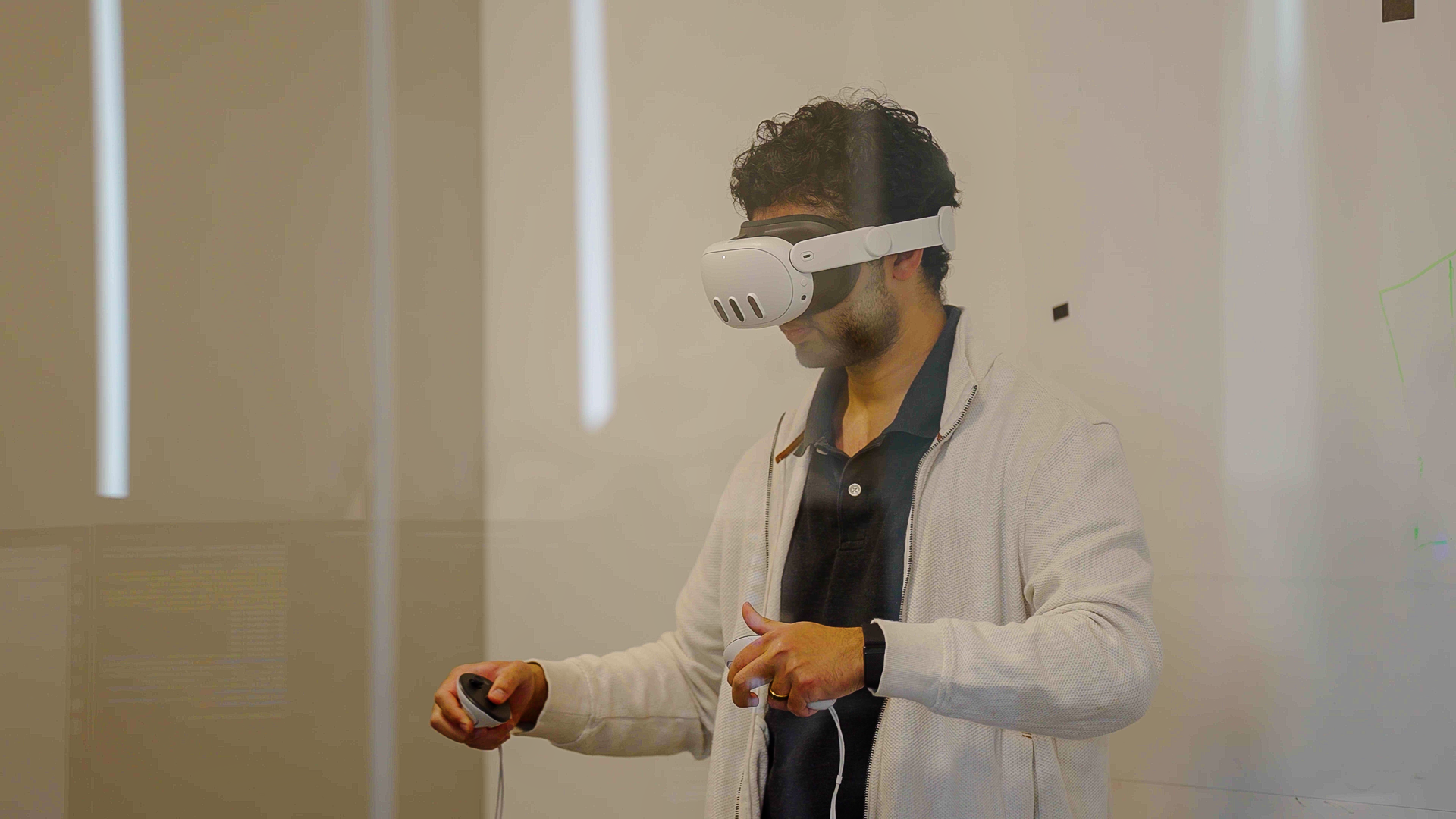
Robot teleoperation lets a person guide a robot through a task using an input device such as an exoskeleton or VR controller. Recording that interaction produces demonstrations that connect the robot’s observations with the actions it receives. Teams can use these demonstrations as training data for robot learning models!
The Dexmate Teleoperation Solution
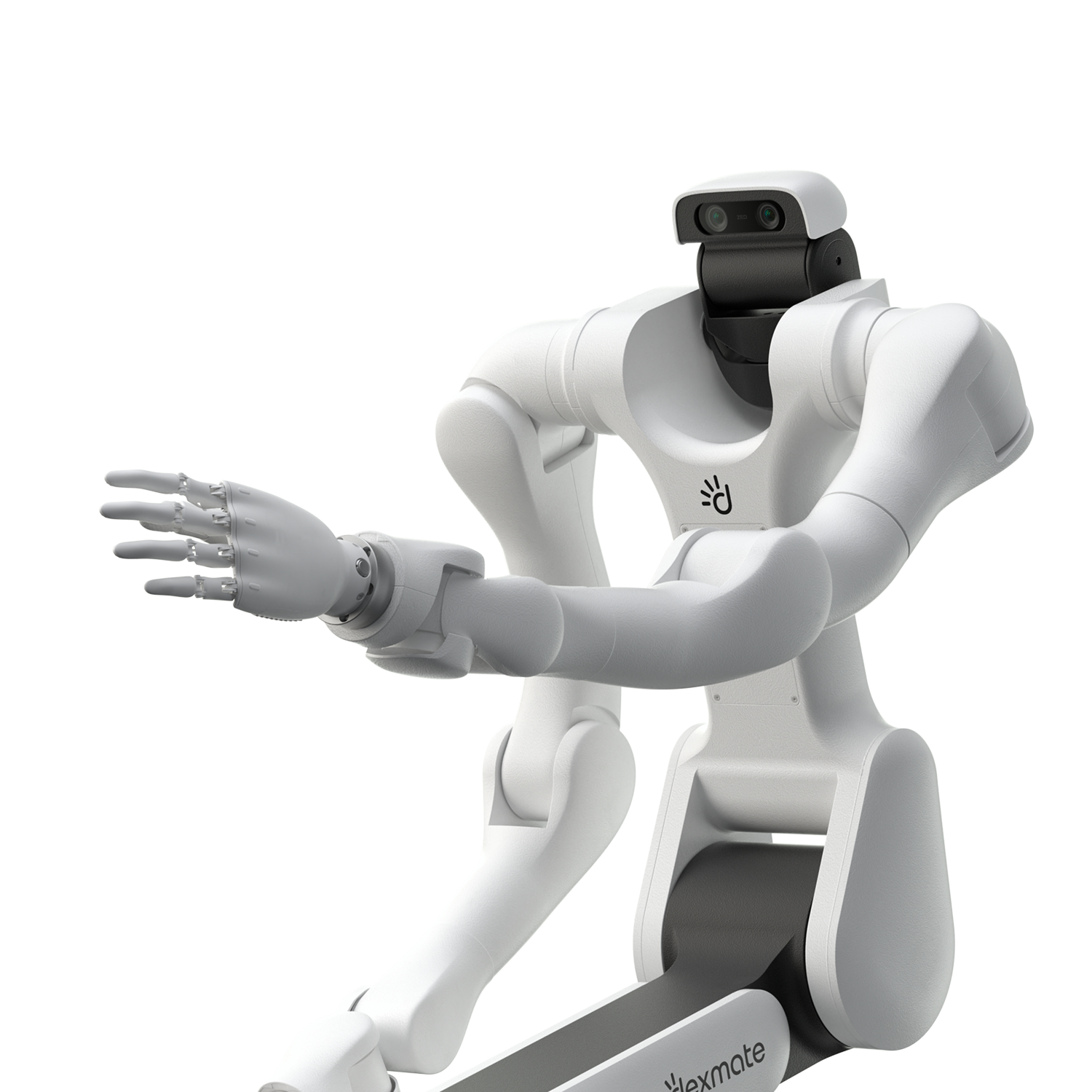
Dexmate provides full-body and half-body robot platforms alongside software for operator control and demonstration recording.
Vega 1 Pro: Full-body Mobile Manipulation
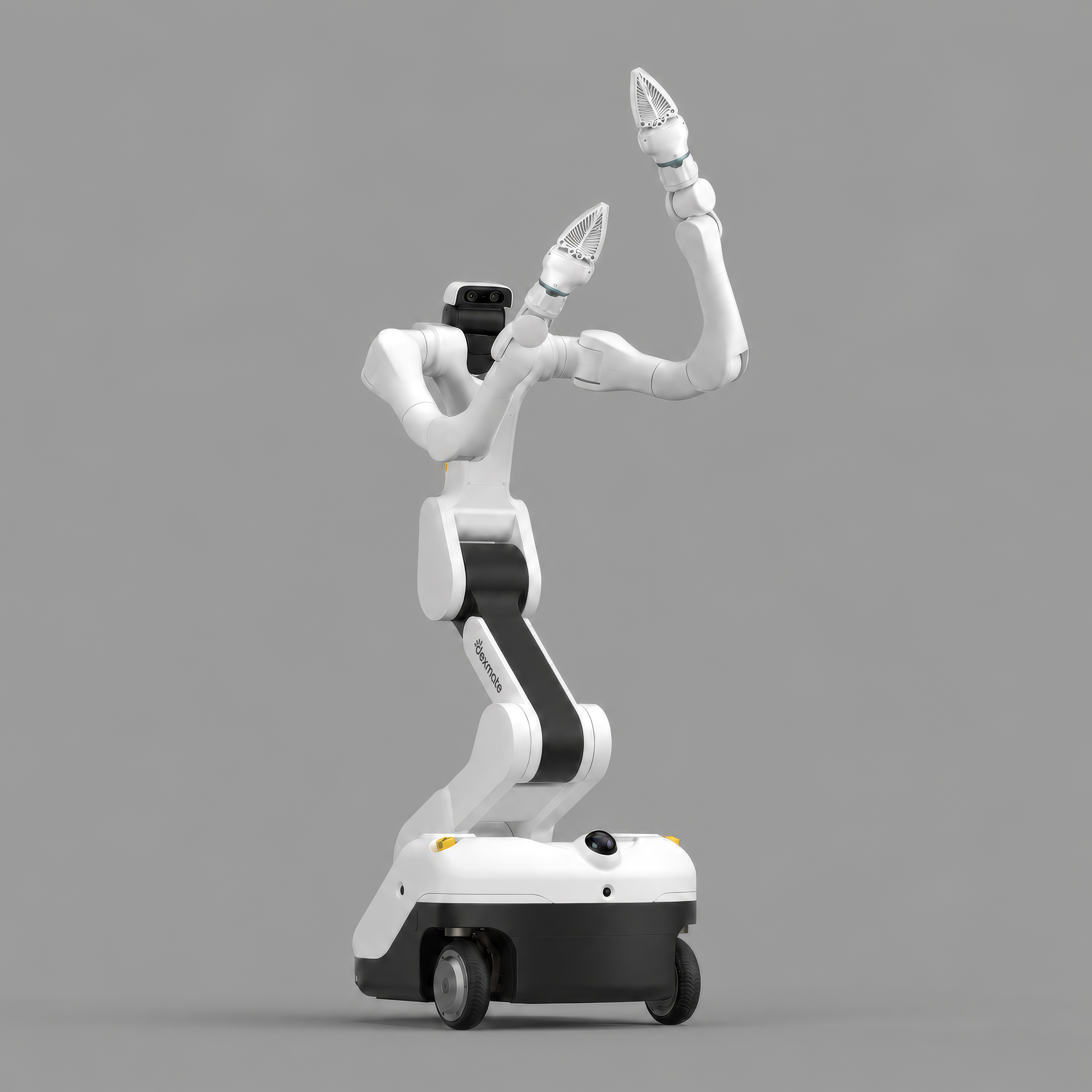
Vega 1 Pro combines a mobile chassis, articulated torso and head, dual arms and dexterous hands in a single platform. Its workspace and range of motion support demonstrations that combine mobility with manipulation, such as moving between work areas, reaching across different heights, and handling objects with both hands.
| Component | Specification |
|---|---|
| Vertical reach | Floor to 7 ft 2 in (2.2 m) |
| Degrees of freedom | 24 total: arms 14 (7 each), torso 3, head 3, base 4 |
| Arm payload | 10+ lbs (5 kg) per arm |
| Mobile base | Omni-directional, 4 DoF (2 steering, 2 drive) |
| Runtime | 20 hrs of operation |
| Compute | NVIDIA Jetson AGX Thor |
Vega 1 U: Half-body Manipulation
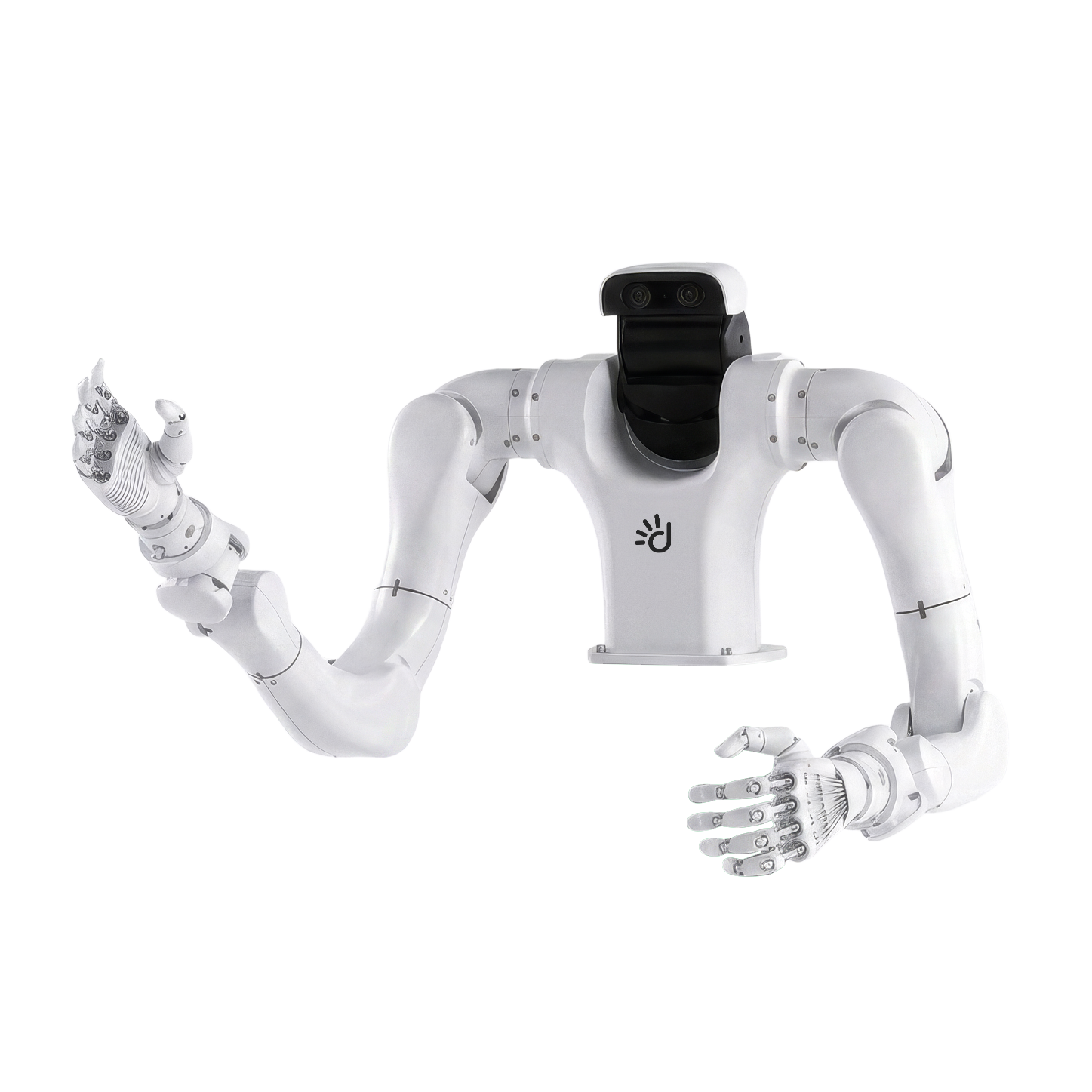
Vega 1 U provides a half-body platform for tabletop manipulation and stationary workspaces. It supports demonstrations centered on arm and hand movements, such as sorting objects, transferring items between containers, and coordinating two-handed interactions.
Omniteleop: Robot Control and Data Collection
Omniteleop is Dexmate’s robot teleoperation and data collection software. Built on libraries including Dexcontrol, it supports exoskeleton and VR input, demonstration recording, trajectory replay and a web-based operator interface.
How Does Dexmate Vega's Teleoperation System Work?
The system uses a leader-follower architecture. Here, “leader” and “follower” refer to the software processes running the teleoperation loop. The leader process captures the operator's input, while the follower process receives that input and produces the corresponding robot motion. The leader and follower processes can run on either the operator's personal system or Vega's NVIDIA Jetson-based compute, depending on the setup.
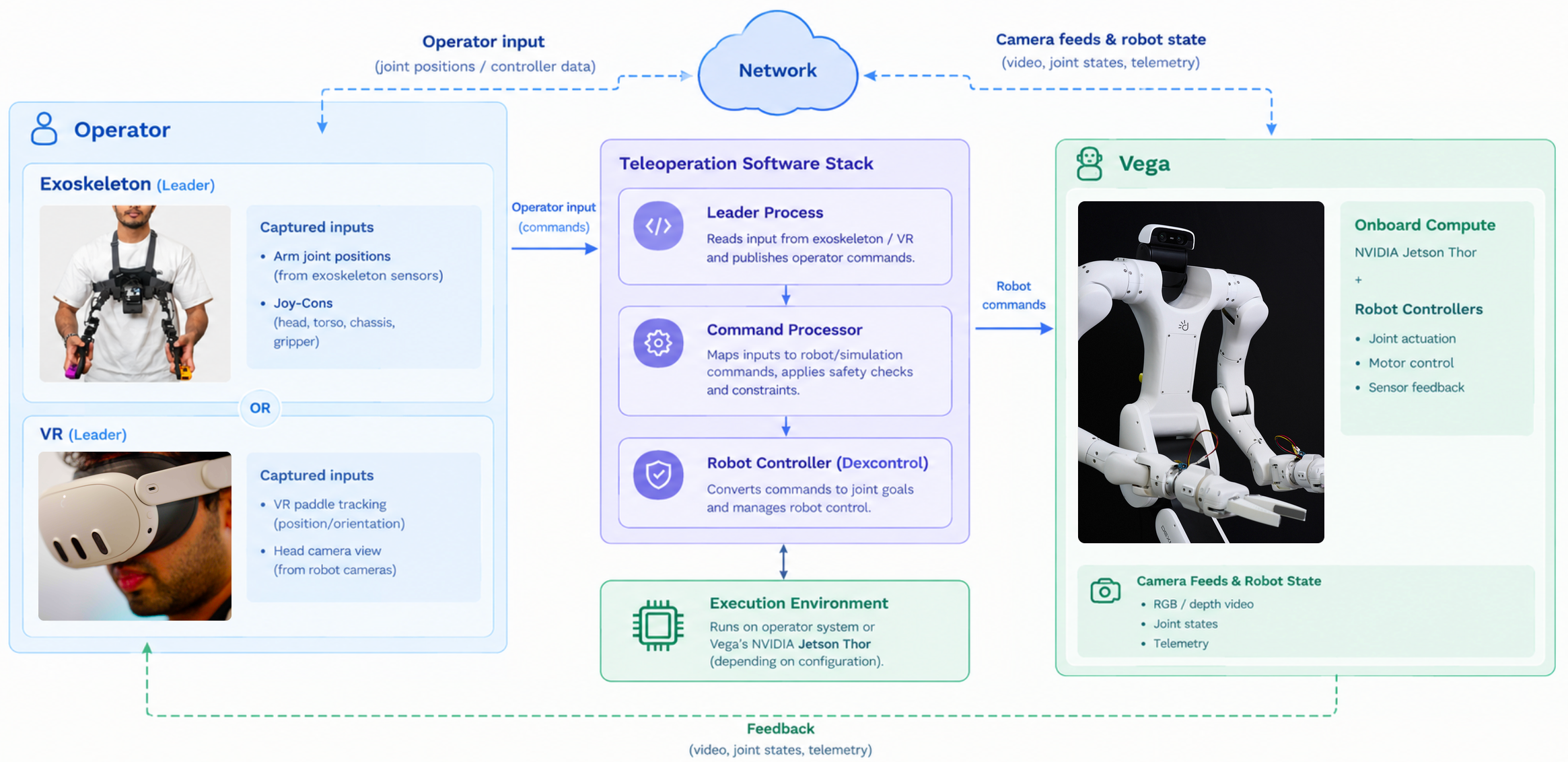
| Mode | Leader | Follower | Output |
|---|---|---|---|
| Exoskeleton | Exoskeleton arms + Joy-Cons | Robot Controller (Dexcontrol) + Collision Avoidance / Command Processor | Vega moves |
| VR Teleoperation | VR Paddle | Robot Controller (Dexcontrol) + Collision Avoidance / Command Processor | Vega moves |
| VR Sim | VR Paddle | Collision Avoidance / Command Processor | Robot visualizer |
Different Ways to Teleoperate Vega
Exoskeleton
It is a wearable mechanical interface that lets an operator control Vega using their own arm movements. The operator wears articulated arm mechanisms equipped with sensors that track their joint positions as they move, along with Joy-Cons attached to the ends of the exoskeleton for control of other parts like head, torso, chassis and gripper. Our teleoperation software then reads these measurements and converts them into commands for Vega's arms. This is one of the most commonly used modes for teleoperation, since it's good for tasks that demand fine motor precision.
VR
Here, a VR paddle provides the leader input. The VR headset gives the operator immersive, first-person view through the robot's cameras, plus hand tracking for natural gesture-based control. It's especially useful for tasks that rely on depth perception and spatial awareness, like reaching into cluttered spaces or navigating around obstacles.
With VR, we provide two modes of control. The first one being physical robot teleoperation, where the follower uses the same downstream pipeline as the exoskeleton mode: the Robot Controller, Command Processor and collision-avoidance system process the leader's commands before they are executed by Vega. The second mode includes a visualizer that displays Vega’s configuration and movements. This provides a visual reference for the operator during robot control. In this case, there is no physical robot to actuate, so the Robot Controller is not required.
How Can You Collect Your First Dataset with Dexmate?
Step by step tutorial on using Dexmate's Teleoperation platform
Instead of interacting directly with the underlying robotics stack, we provide you with an app that brings robot control, demonstration recording, and system monitoring into a single interface.
Launch the App & Check the Setup
A single launch script, app/launch.sh, starts the web-based operator interface and the processes used for teleoperation, so operators can get started without launching each component separately.
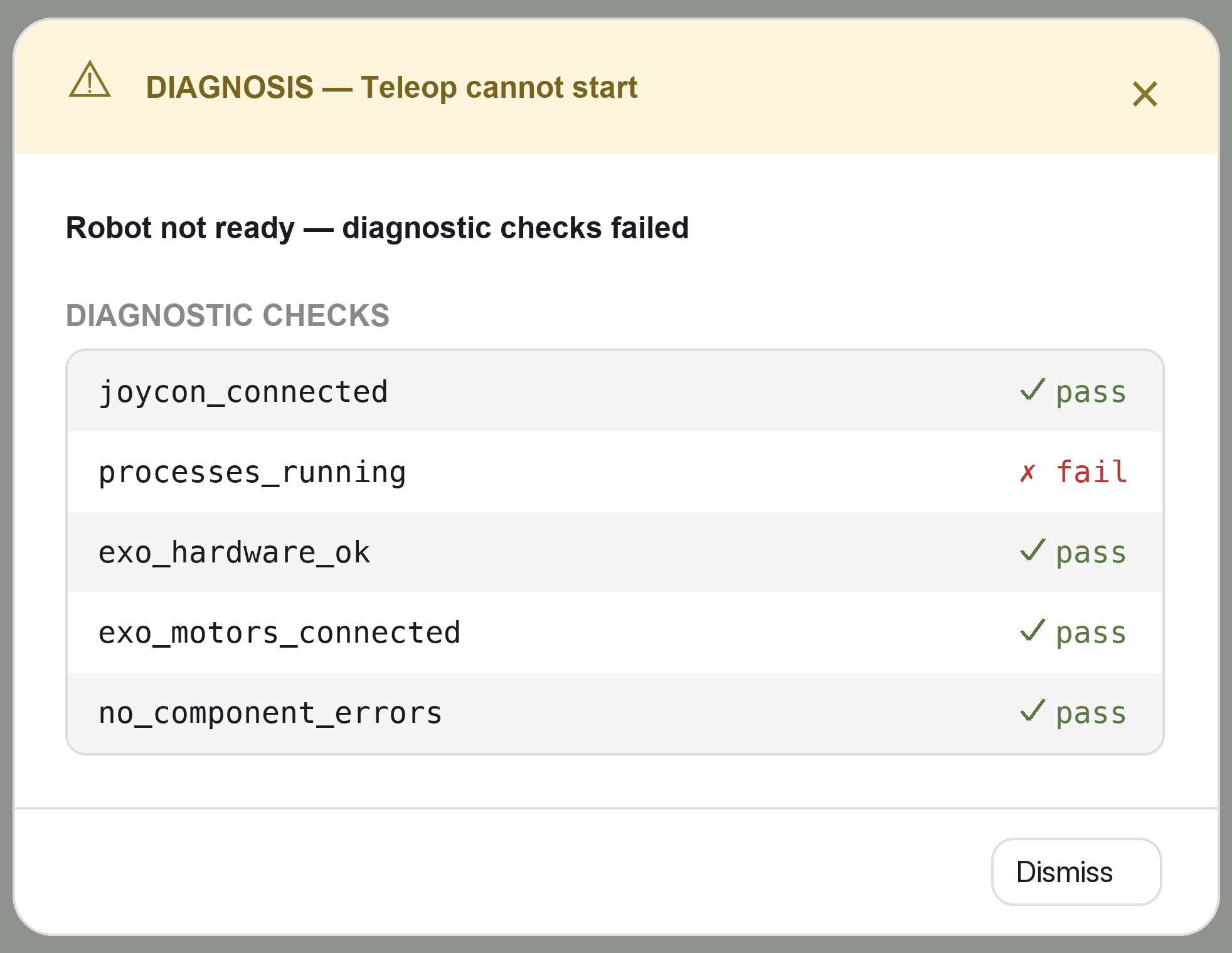
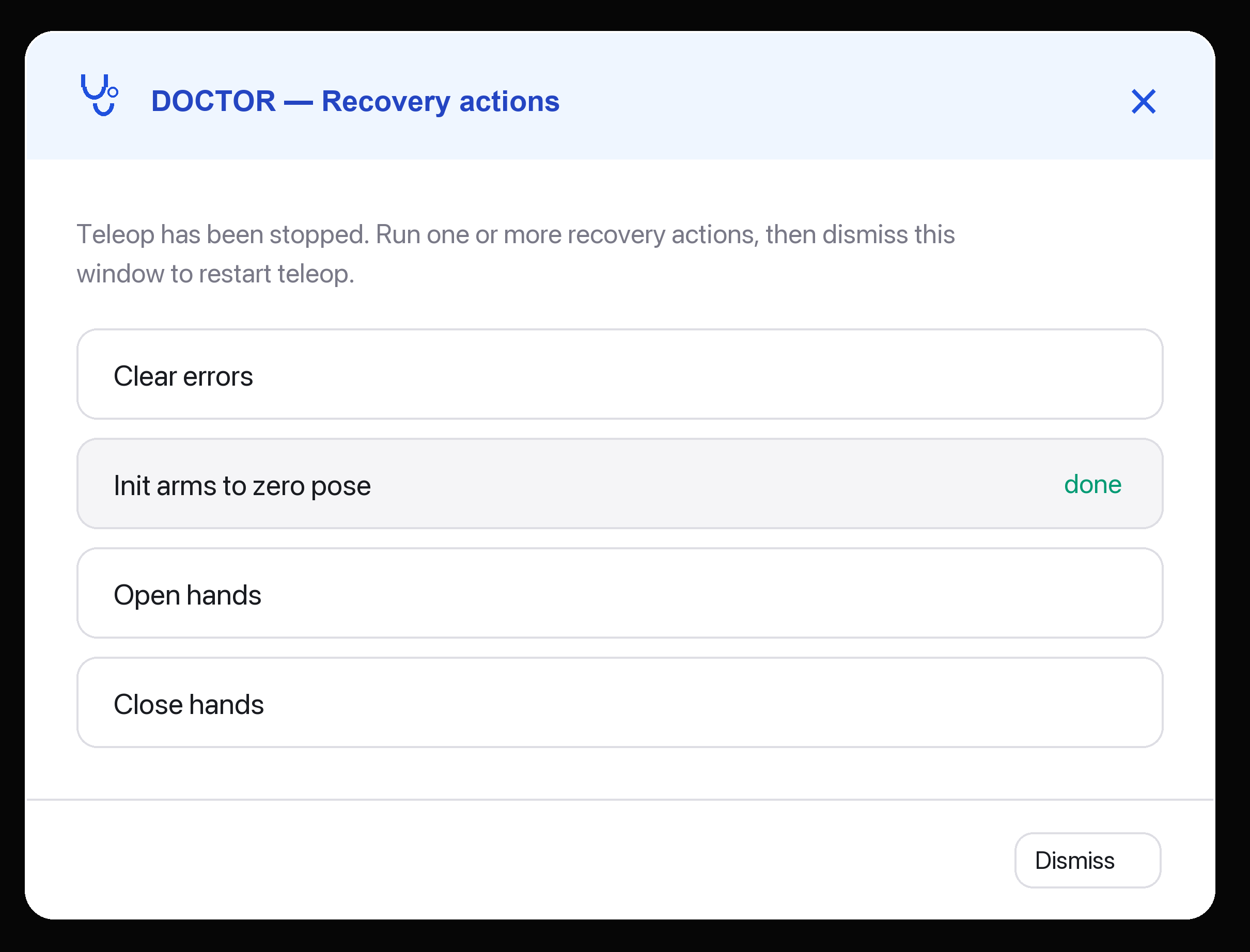
Before beginning a demonstration, open the Diagnosis window to check controller connectivity and component errors. The Doctor window provides recovery actions such as clearing errors or returning the arms to a zero pose.
Configure the Recording and Describe the Task
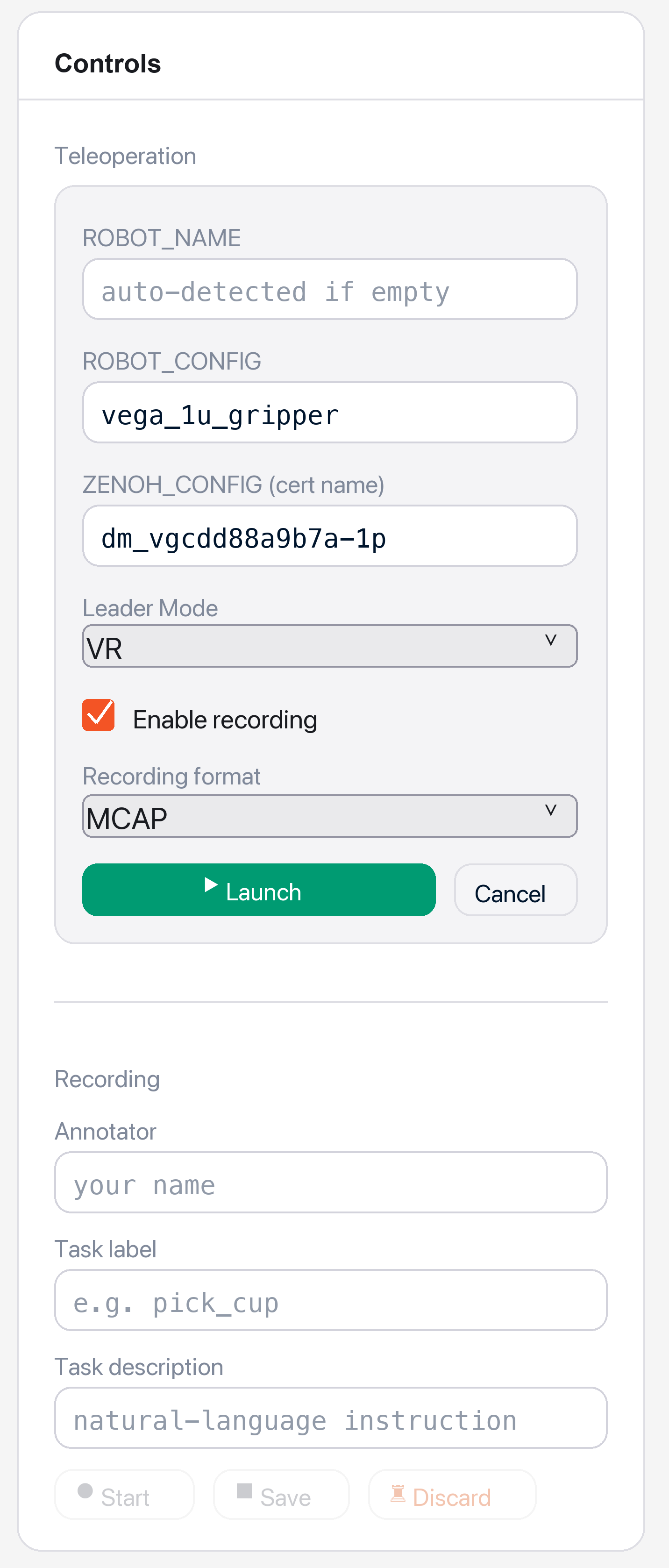
Select a recording format and enter the metadata for the demonstration. This can include the annotator, task label and a natural-language task description.
For example, a demonstration could use the task label “box transfer” and the description “Pick up the box with both hands and place it on the adjacent table.” These details can help identify what each recorded episode represents.
Omniteleop supports two recording options:
- MDP: Saves state and action records in a .pkl file alongside image data.
- MCAP: Saves configured robot state, action, and sensor streams in MCAP format.
Depending on the configuration and available hardware, recorded observations can include joint positions, arm joint velocities and camera images, alongside action commands and timestamps.
Start Recording and Demonstrate the Task
With the setup checked and recording configured, start a recording from the app and guide Vega through the task using the exoskeleton or VR interface.
During the demonstration, the recorder captures data as an episode: a recording of the task with its associated metadata. The app displays recording status so the operator can check whether recording is active while performing the task.
Monitor the Session and Debug Issues
During a session, the app displays the teleoperation state, recording status, E-stop status, and robot joint states. These indicators help operators check whether recording is active and identify changes in the system’s state.
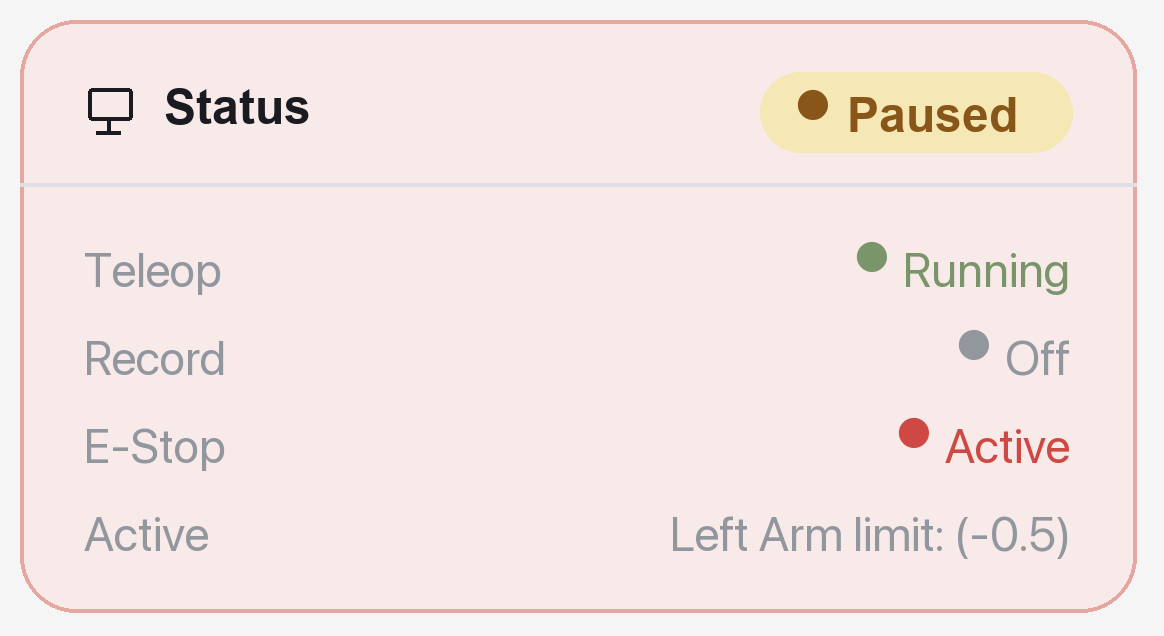
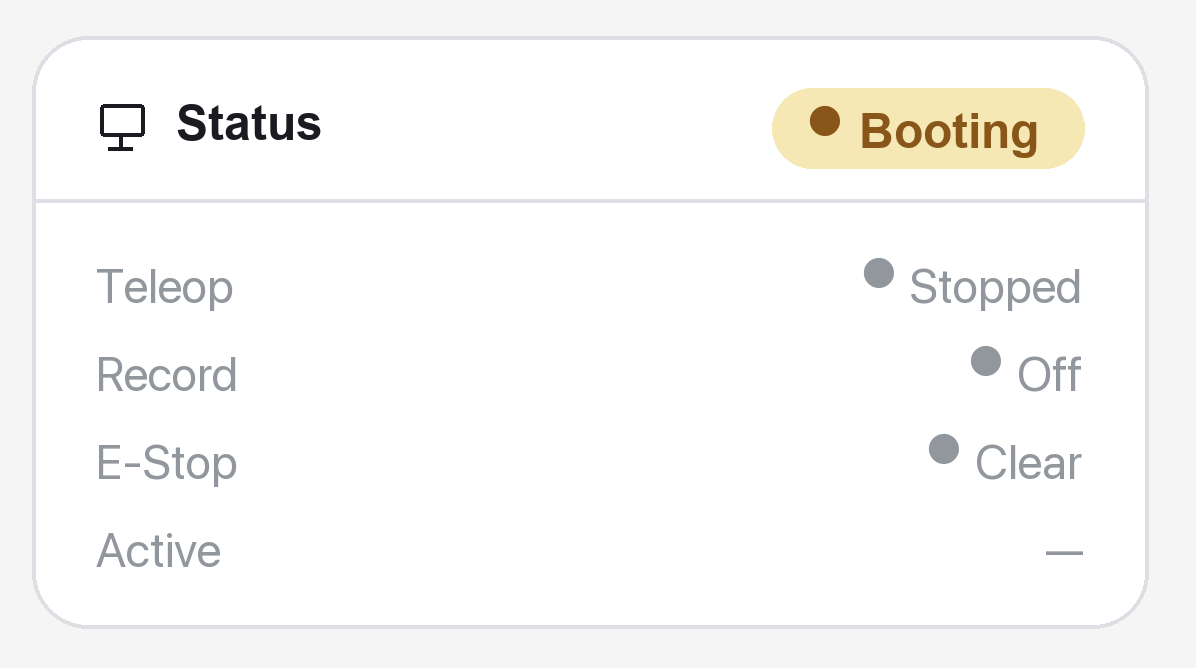
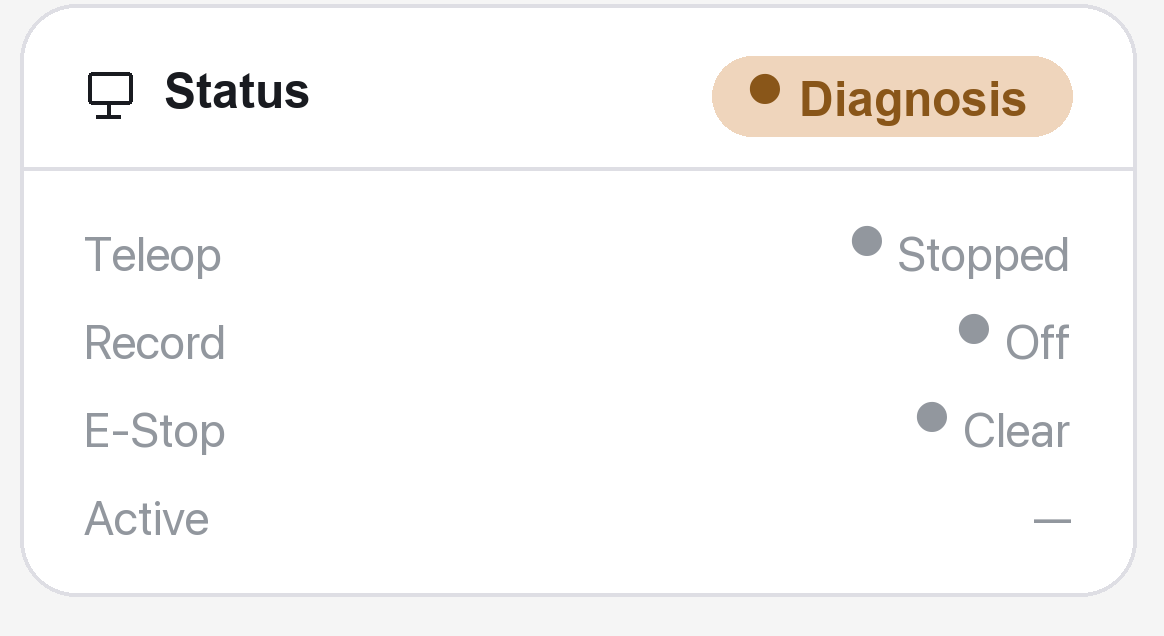
If an issue occurs, open the Debug panel to inspect logs from individual processes, including the arm reader, command processor, robot controller and data recorders. This helps operators investigate the affected component without switching between terminal windows.
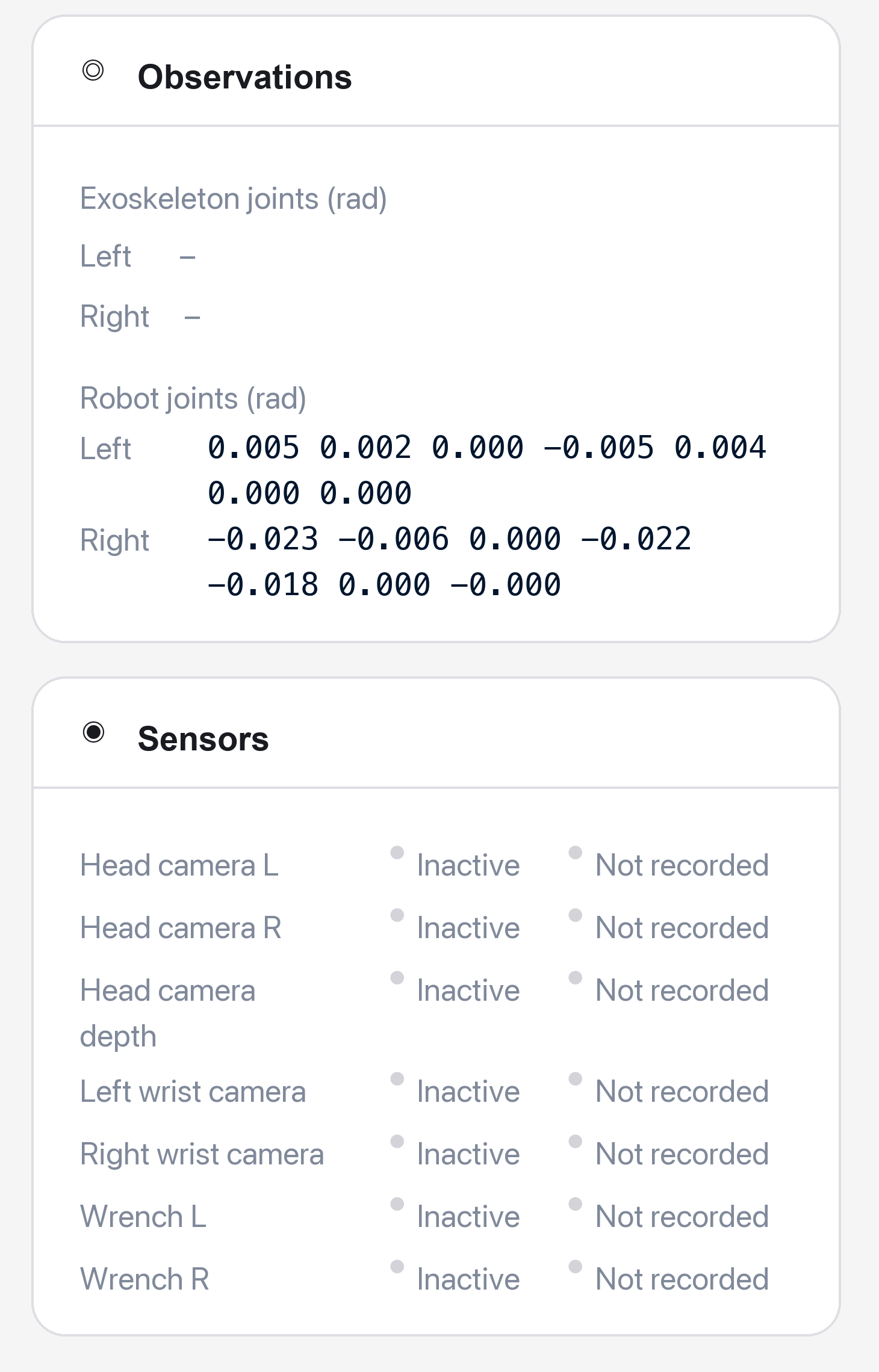
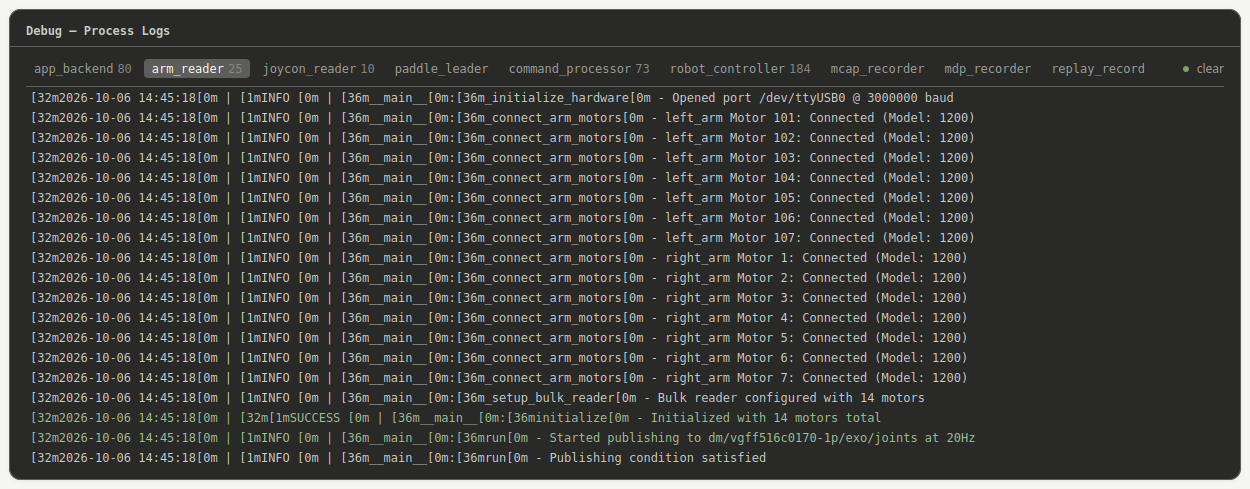
Also, feel free to use the diagnostic and recovery tools shown in Step 1.
Replay a Saved Demonstration
To reuse a recorded motion, select the saved episode as the leader input and choose the follower that will execute it. The replay workflow lets the operator run the recorded sequence without manually repeating the original movements.
Replay executes saved motion; training a robot learning policy is a separate step. Researchers can use the recorded demonstrations as data for developing and evaluating their own learning methods.
Whether you're an experienced roboticist or someone encountering the system for the first time, Dexmate's interface is designed to make it clear what the robot is doing, what state it’s in and what you can do next.
Why Choose Dexmate?
Dexmate combines general-purpose robot hardware with software for teleoperation and data collection. Vega 1 U supports tabletop manipulation, while Vega 1 Pro supports tasks involving torso and mobile-base movement. Omniteleop brings exoskeleton and VR controls, structured demonstration recording, diagnostics and trajectory replay into one workflow. Rather than treating hardware, software and the operator interface as separate pieces, we bring them together as one system designed around the demands of real-time robot control.
FAQs
1. How does robot teleoperation help researchers develop autonomous robots?
Teleoperation provides human-guided demonstrations that researchers can use to train and evaluate robot learning policies. Dexmate supplies the Vega hardware and software for controlling the robot and recording those demonstrations. Researchers then build learning methods on that foundation. For example, PGDG explores generating a larger training dataset from a single demonstration.
2. How can researchers reduce the effort required to collect robot training data?
One approach is to combine recorded robot demonstrations with generated data or demonstrations of humans performing related tasks. Dexmate’s hardware and teleoperation software provide a foundation for collecting robot episodes. Research using Vega explores ways to make that data go further: PGDG expands a single demonstration, while DUET combines human-human demonstrations with a smaller set of robot teleoperation trajectories.
3. Can I explore Vega’s controls in simulation before using a physical robot?
Yes. Dexmate provides control functionality for a simulated Vega, allowing you to explore supported robot movements before working with physical hardware.
4. What data can I record during a Vega teleoperation session, and which formats are supported?
Dexmate’s software lets you save teleoperation sessions as structured episodes and attach metadata such as the annotator, task label and natural-language task description. Supported recording options include MDP recordings, which produce a .pkl file alongside image data, and MCAP recordings.
5. Is camera data enough to teach a robot dexterous manipulation?
Camera data provides visual context, but tactile sensing can capture contact information that is difficult to see. Researchers using Dexmate’s Vega have explored this through T-Rex, which develops touch-reactive manipulation policies, and DexTacWAM, which combines visual and tactile prediction. These are examples of researchers extending a robot platform with sensing and learning methods suited to their tasks.
6. Does replaying a teleoperated demonstration mean a robot has learned the task?
No. Replay executes a recorded motion sequence; a learned policy uses its inputs to decide what action to take. Dexmate’s software supports recording and replaying demonstrations, while researchers can use demonstration data to develop policies that handle variation.
Start Your Physical AI Journey with Us